
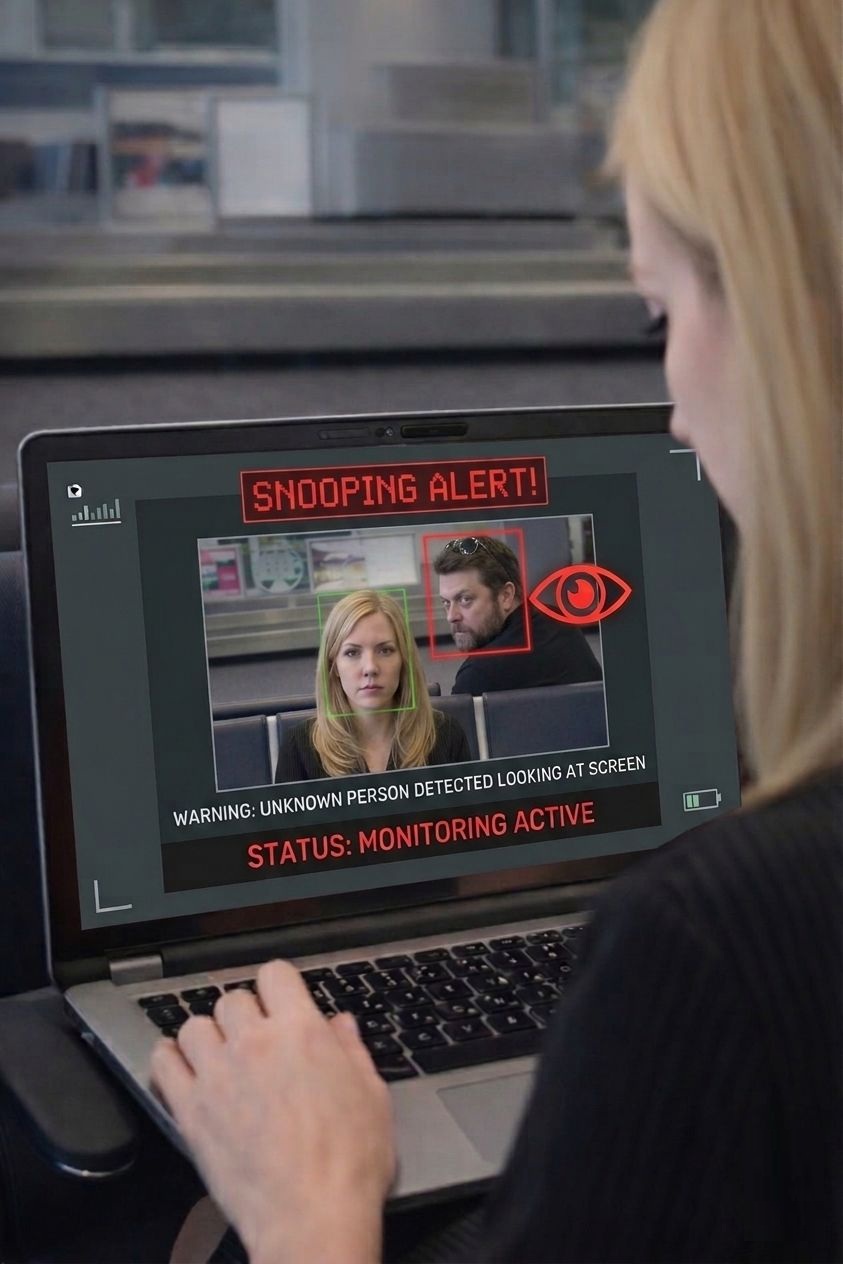
Shoulder surfing is a security risk where someone observes your screen, keyboard, phone, laptop, or other device to view or steal sensitive information without your permission.
What Is Shoulder Surfing?
Shoulder surfing is when someone physically watches what you are doing on a screen or device in order to view private information. The person may look over your shoulder, sit nearby, stand behind you, or use a phone camera to observe your activity.
Unlike many cybersecurity threats, shoulder surfing does not require malware, hacking tools, phishing emails, or stolen passwords. It relies on observation. A person simply looks at your screen or watches you type.
That makes shoulder surfing easy to underestimate. It can happen quickly, quietly, and in normal everyday places like cafes, airports, trains, offices, classrooms, and coworking spaces.
Simple Example of Shoulder Surfing
Imagine you are working on your laptop in a coffee shop. You open your email, type a password, review a private document, or check a bank account. Someone nearby glances at your screen while pretending to do something else.
In a few seconds, that person may see an email subject, a client name, a password, a verification code, a financial detail, or private personal information.
No software attack happened. No device was hacked. The information was exposed because the screen was visible.
Why Shoulder Surfing Is Dangerous
1. It requires no technical skill
Anyone can shoulder surf. The person does not need to understand cybersecurity, exploit software, or break into your device. They only need to be close enough to see your screen, keyboard, or phone.
2. It is hard to notice
Shoulder surfing often happens while you are focused on your work. In public spaces, people naturally move around, sit nearby, or look in different directions. That makes suspicious viewing behavior difficult to recognize in real time.
3. It can expose sensitive information quickly
A brief glance can reveal more than you expect. Email previews, login screens, passwords, private chats, business documents, and financial dashboards may all be visible for only a moment but still expose valuable information.
4. It happens in normal work environments
Remote work, hybrid work, open offices, public travel, and coworking spaces have made laptop privacy harder to control. Many people now handle sensitive information in places where others can see their screens.
Common Types of Shoulder Surfing
Direct observation
Someone directly watches your screen, keyboard, or phone while standing or sitting nearby.
Over-the-shoulder viewing
A person behind or beside you looks over your shoulder to see what you are typing, reading, or opening.
Camera-based observation
Someone uses a smartphone, camera, or recording device to capture your screen or keyboard from a distance.
Reflection-based viewing
Information may be visible through reflections in windows, glass walls, mirrors, glossy surfaces, or nearby screens.
Where Does Shoulder Surfing Happen?
Shoulder surfing can happen anywhere your screen is visible to another person. Common locations include:
- Cafes and coffee shops
- Airports, airplanes, and lounges
- Hotels and conference spaces
- Trains, buses, and public transportation
- Coworking spaces
- Open-plan offices
- Libraries and schools
- Shared homes or dorm rooms
What Information Can Be Stolen Through Shoulder Surfing?
Shoulder surfing can expose many types of sensitive data, including:
- Passwords and PINs
- Two-factor authentication codes
- Email subjects and messages
- Private chats and notifications
- Banking and credit card information
- Client names and confidential business documents
- Medical, legal, or financial records
- Source code, product plans, and internal company information
The risk is not limited to people typing passwords. Even reading a document, opening a dashboard, or receiving a sensitive notification can reveal private information to someone nearby.
How to Prevent Shoulder Surfing
1. Be aware of your surroundings
Before opening sensitive information, quickly check who is near you and whether your screen is visible from behind or beside you.
2. Position your screen carefully
Sit with your back against a wall when possible. Avoid placing your screen toward walkways, lines, shared tables, or crowded areas.
3. Use a privacy screen filter
A physical privacy screen filter can reduce side-angle visibility, making it harder for nearby people to read your laptop screen from the side.
4. Avoid sensitive actions in public
If possible, avoid entering passwords, viewing financial information, opening confidential documents, or reading private messages in crowded spaces.
5. Hide notifications
Sensitive information can appear in notifications even when you are not actively opening an app. Turn off lock-screen previews and private message previews when working in public.
6. Lock your device when stepping away
Even a short break can expose your laptop. Lock your screen whenever you leave your device, even if you only step away briefly.
7. Use software-based screen privacy protection
Software tools can add active protection by helping detect unfamiliar faces, suspicious viewing behavior, or unauthorized access attempts near your laptop.
Modern Protection: Detecting Shoulder Surfing Automatically
Traditional prevention methods depend on you noticing the risk. Privacy screen filters and careful positioning are useful, but they do not tell you when someone is actually looking at your screen.
Modern laptop privacy tools can use the device camera and local processing to detect unfamiliar faces or suspicious viewing behavior. This helps create an active layer of protection.
For example, Screen Guardian is designed to help detect shoulder surfing, unfamiliar faces, and unauthorized screen viewing while keeping processing local on your device.
Conclusion
Shoulder surfing is a simple but serious security risk. It happens when someone looks at your screen, keyboard, or device to view information without your permission.
Because it does not require hacking, it can happen almost anywhere: cafes, airports, offices, classrooms, trains, or shared workspaces. The best protection combines awareness, careful screen positioning, good device habits, and tools that help detect suspicious viewing.
If you frequently work in public or shared spaces, taking shoulder surfing seriously can help protect your passwords, private messages, business data, financial information, and personal privacy.
Protect Your Laptop Screen in Public
Screen Guardian helps detect shoulder surfing, unfamiliar faces, and unauthorized screen viewing in real time while keeping protection local on your device.
Frequently Asked Questions
What is shoulder surfing?
Shoulder surfing is a security risk where someone looks at your screen, keyboard, phone, laptop, or other device to view or steal sensitive information without your knowledge.
Is shoulder surfing a cyber attack?
Shoulder surfing is usually considered a physical or social-engineering security threat rather than a technical cyber attack. It does not require malware or hacking tools.
Where does shoulder surfing happen most often?
It commonly happens in public and shared environments such as cafes, airports, airplanes, trains, offices, coworking spaces, schools, libraries, and conference venues.
Can a privacy screen prevent shoulder surfing?
A privacy screen can reduce side-angle visibility, but it does not actively detect when someone is looking at your screen. It is helpful, but not complete protection.
How can I prevent shoulder surfing on a laptop?
You can reduce risk by positioning your screen carefully, avoiding sensitive work in crowded spaces, using a privacy filter, hiding notifications, locking your device, and using software that detects suspicious viewing behavior.